How to clean your phone
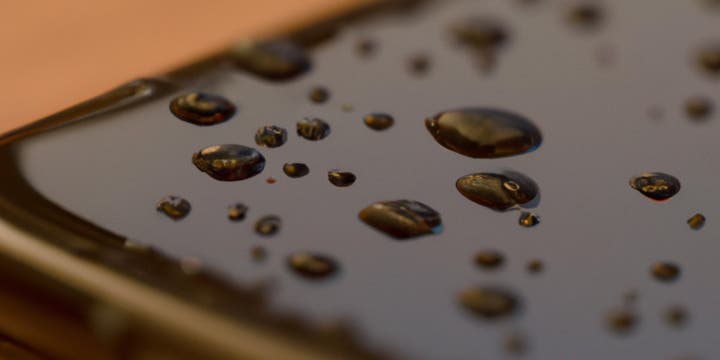
Keeping your phone clean is essential for maintaining its functionality and hygiene. Regular cleaning helps remove dirt, fingerprints, and germs from the surfaces, ensuring optimal performance and reducing the risk of bacteria buildup. In this guide, we will walk you through the step-by-step process of cleaning your phone effectively.
Materials Needed
Before you begin, gather the following materials:
- Microfiber cloth
- Isopropyl alcohol (70% concentration)
- Cotton swabs
- Compressed air canister (optional)
- Water (distilled or filtered)
- Mild soap (optional)
Step 1: Power Off and Disconnect
Before cleaning your phone, power it off completely and disconnect any charging cables or accessories. This prevents any accidental damage or electrical issues during the cleaning process.
Step 2: Remove Phone Case and Screen Protector
If your phone has a protective case or screen protector, remove them carefully. Clean them separately following the manufacturer’s instructions.
Step 3: Wipe the Exterior
Take a microfiber cloth and gently wipe the exterior surfaces of your phone. This removes dust, smudges, and fingerprints. Avoid using harsh chemicals or abrasive materials that could damage the phone’s finish.
Step 4: Clean the Screen
Dampen a microfiber cloth with a small amount of distilled or filtered water. Gently wipe the screen in a circular motion to remove smudges and dirt. If needed, you can also use a mild soap solution. Avoid applying excessive moisture to prevent damage to the phone.
Step 5: Disinfect the Phone
Moisten a cotton swab or a microfiber cloth with isopropyl alcohol. Gently wipe the phone surfaces, paying attention to commonly touched areas such as the buttons, edges, and back. The alcohol helps disinfect and remove bacteria effectively. Be cautious not to let liquid enter any openings, such as charging ports or speakers.
Step 6: Dry and Reassemble
Use a dry microfiber cloth to remove any excess moisture from the phone’s surfaces. Let the phone air dry for a few minutes. Once completely dry, reattach the phone case and screen protector.
Step 7: Regular Maintenance
To maintain a clean phone, make it a habit to wipe the screen and exterior regularly with a microfiber cloth. Avoid using excessive force or abrasive materials that could scratch the screen or damage the phone.
Additional Tips:
- Avoid using household cleaners, window sprays, or harsh chemicals on your phone as they can damage the screen and other components. (Source: Apple - How to clean your Apple products)
- If you have a waterproof phone, follow the manufacturer’s instructions for cleaning and ensure the device is properly sealed after cleaning.
- For hard-to-reach areas and speaker grilles, you can use a compressed air canister to blow away dust and debris gently.
By following these steps and incorporating regular cleaning into your phone maintenance routine, you can keep your device clean, germ-free, and in optimal condition for everyday use.
Remember to always refer to your phone manufacturer’s cleaning guidelines and instructions specific to your device to ensure proper care and maintenance.
Published on: